Keep conversations together
Import exported WhatsApp chat files, organize backups into groups, search conversations, and remove backups you no longer need.
 Dual Messenger
Bring your exported WhatsApp conversations together. Organize your memories, revisit shared files, and explore the patterns in your chats.
For iOS · In-app purchases available
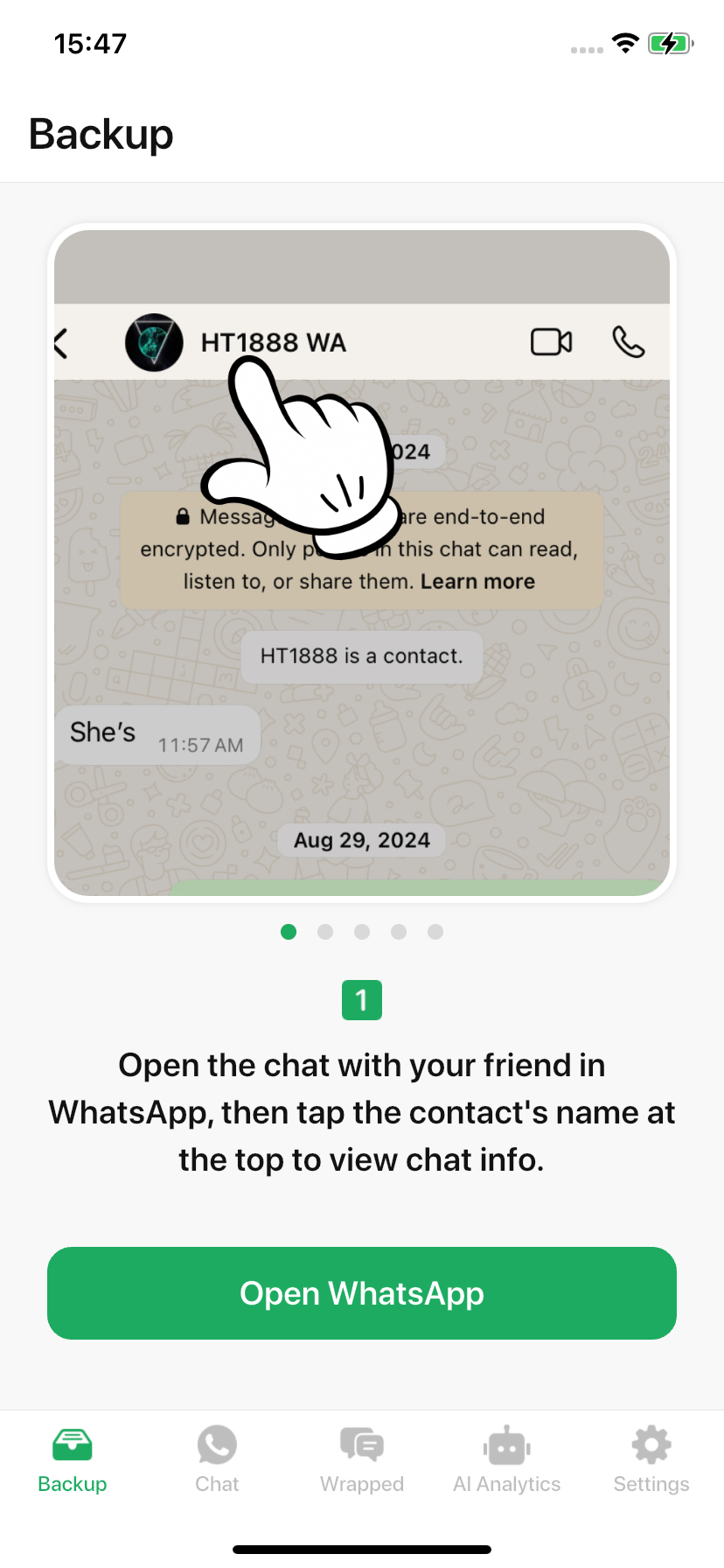
Backup tutorial in Dual Messenger
From a shared moment to a conversation full of memories, find another way to revisit your chats.
Import exported WhatsApp chat files, organize backups into groups, search conversations, and remove backups you no longer need.
Browse messages, the gallery, and files in dedicated views. Available media depends on the attachments included in your export.
Explore message activity, participant contributions, frequently used emojis, and active times through chat statistics.
Start with a conversation you choose to export. The app works with the files you import; linking WhatsApp Web does not automatically add chats to backups or AI analysis.
Use WhatsApp’s chat export option. Include media if you want to browse the exported attachments.
Share the export to Dual Messenger and follow the in-app tutorial. Create groups to keep your backups organized.
Browse your backup, explore statistics, or choose a chat file for optional online AI analysis.
Before AI analysis, the app asks for consent to upload the complete imported chat file to its server and send it to Kimi through its official API. Files may contain names, messages, and other personal information. Submit only content you have the right to share.
The web chat feature uses WhatsApp Web and the official Linked Devices QR flow for your own account. Web messages are separate from imported files. Closing a view does not unlink your account; manage linked sessions in WhatsApp Settings → Linked Devices.
No. Dual Messenger is an independent app and is not affiliated with or endorsed by WhatsApp or Meta. WhatsApp names and marks belong to their respective owners.
The app works with chat exports you provide. It does not promise recovery of deleted messages or access to someone else’s account.
Imported backups are stored on the device. AI analysis and WhatsApp Web require an internet connection. The app also uses network services for features such as purchases and analytics.
AI responses can be incomplete or incorrect. Check answers against your original messages and do not treat them as professional advice.
The app includes in-app purchases and subscription flows, including restore purchases. Current prices, periods, eligibility, and offers are shown on the in-app purchase screen before you confirm payment.
Start with a chat you want to come back to.